Poe
Poe  Pass
Pass
Learn how to get Subkit Premium for free with your Poe Boosted subscription.
Table of contents
What is Subkit
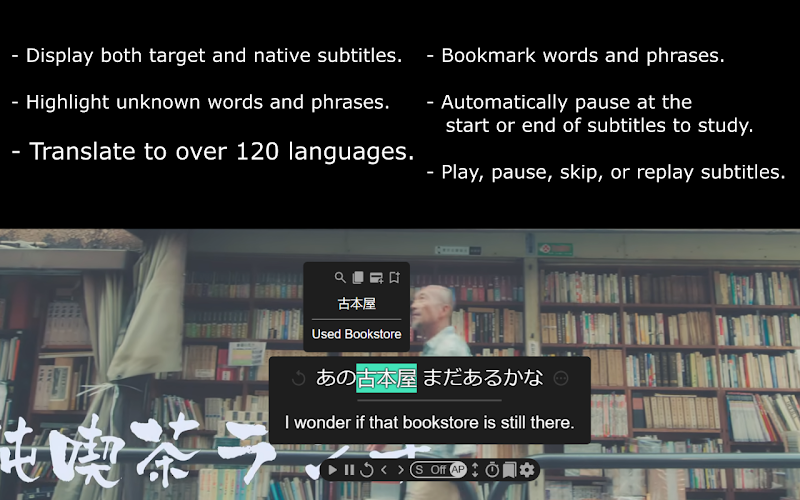
Subkit is a desktop Chrome browser extension that lets you learn languages and more while watching your favorite shows, movies, and videos.
Create rich Anki flashcards, add furigana to subtitles, highlight and translate unknown words, and more.
Getting Started
To get your Poe Boosted Pass to Subkit Premium, you’ll need:
- The Subkit extension installed on desktop.
- An active Poe Language Lens Boosted subscription.
Step to get a Poe Boosted Pass
-
Install the Subkit extension from the Chrome Web Store and pin it to your toolbar.
-
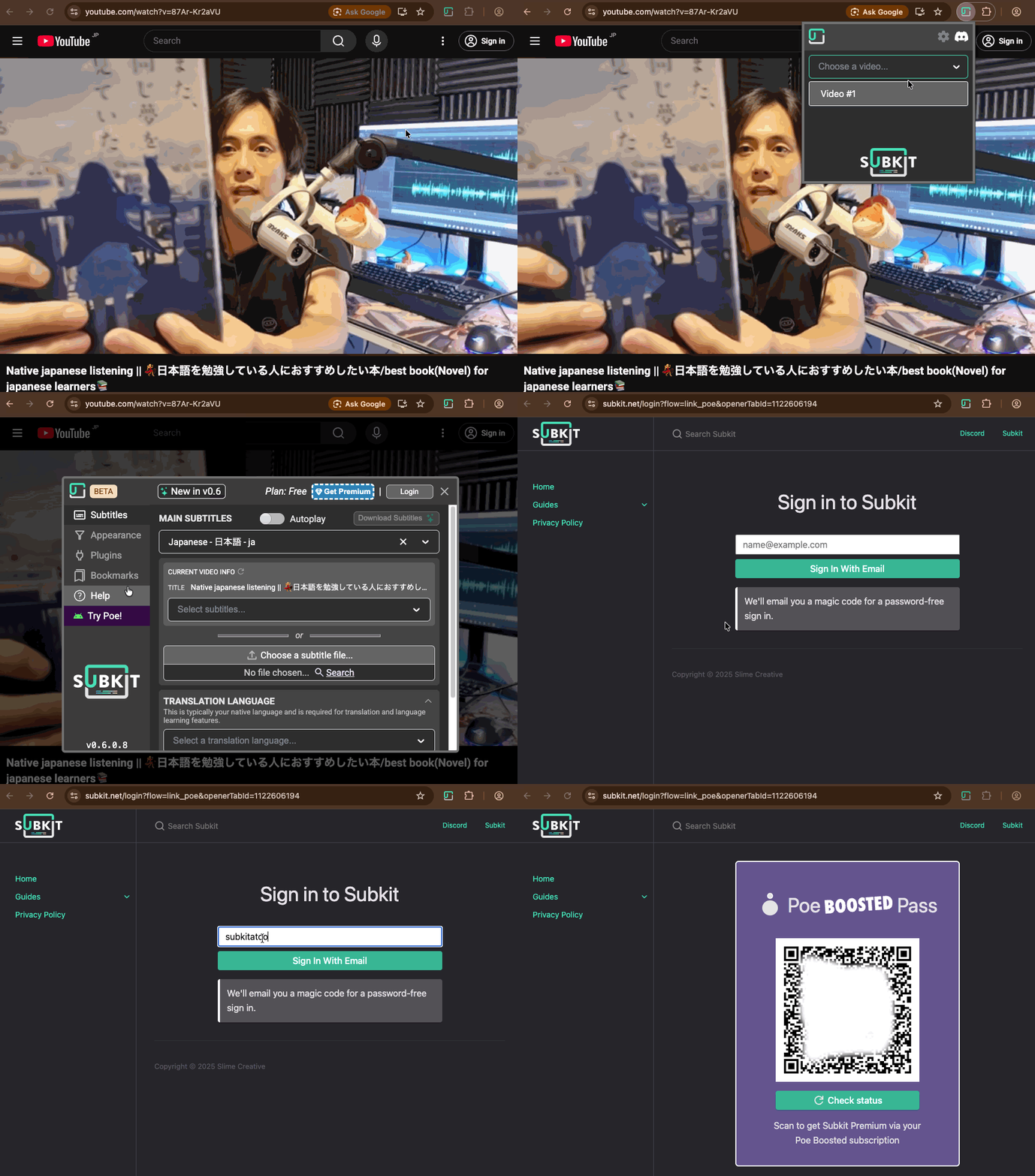
Connect to a video by opening a video with subtitles on Netflix, YouTube, Amazon, or another supported site. Click the Subkit extension icon and select the video element from the dropdown to connect.
-
Open the settings dialog by clicking the gear icon in the Subkit popup. It will open automatically when first connecting.
-
Link your Poe account by navigating to Help in the settings dialog, then clicking Link Poe Boosted. Follow the prompts to authenticate with Subkit and follow the QR Code with your phone (the phone with Poe installed) and activate your free Premium upgrade.
Once linked, Subkit Premium features will be automatically activated. You may need to repeat this process when your Poe subscription renews.